
PHOTOS, RECIPES & EVERYDAY CONNECTION
TCB Home Application
TCB Connected Picture Frame
A family picture frame that does more.
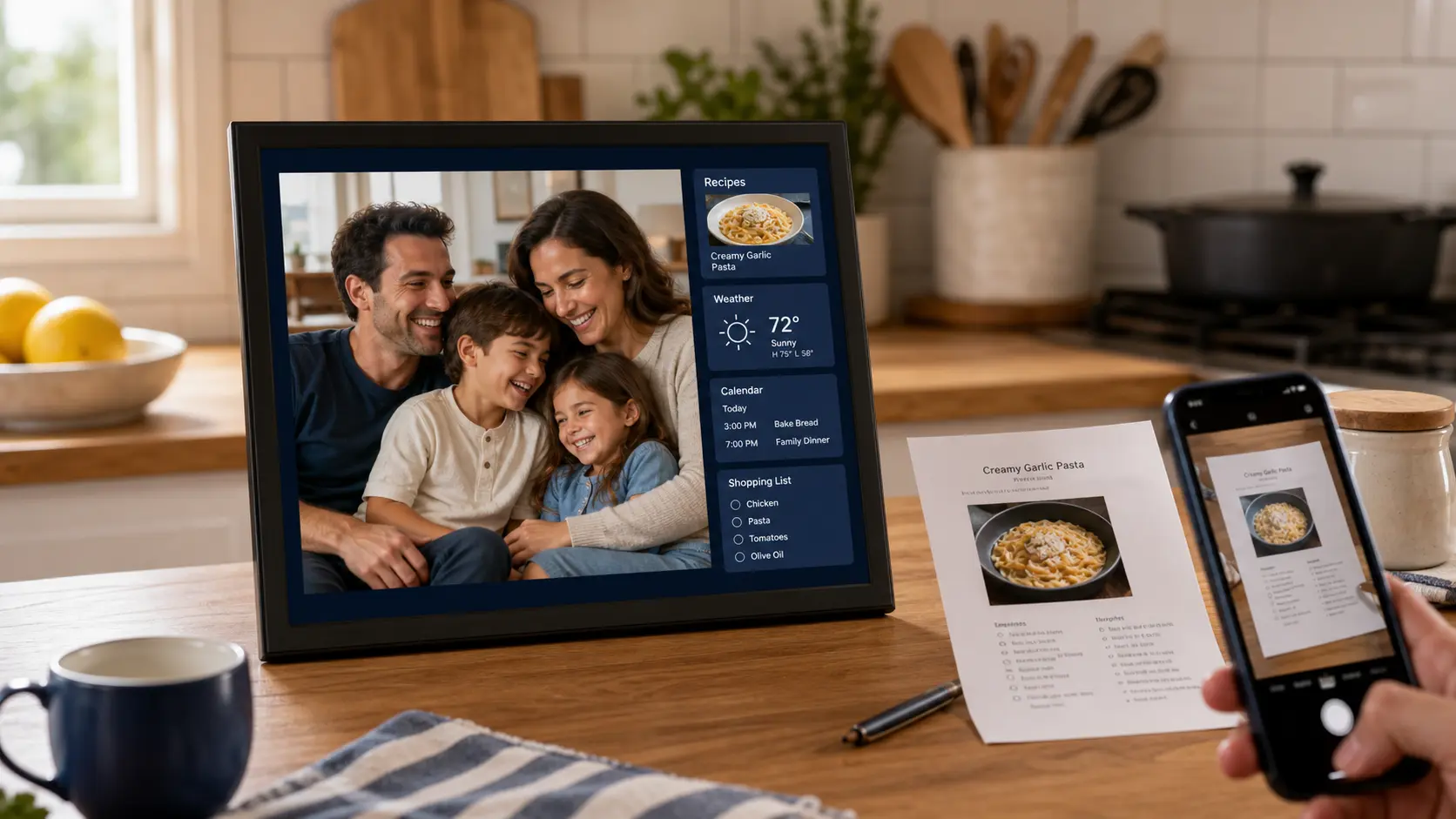
A touch-friendly connected picture frame for emailed family photos, weather, calendars, shopping lists, and recipes—including AI-assisted recipe capture from an emailed image.
- Simple photo sharing
- TOUCH
- Everyday tools
- AI
- Recipe capture
DESIGNED FOR THE ROOM IT LIVES IN
Keep family memories and useful household information in one familiar place.
TCB Connected Picture Frame begins as a full-screen photo display with a simple way for approved family members to send new pictures by email. The touch interface adds useful household tools without turning the experience into a complicated computer.
The working frame includes photo likes, captions, slideshow motion, current and forecast weather, a calendar, a shopping list, recipes, Wi-Fi setup, and a PIN-protected admin area. A companion recipe-ingest service can read an emailed recipe image with AI, standardize it, and deliver it to the selected frame.
CAPABILITIES
One system for the whole workflow.
Practical tools for the people operating the system, the managers responsible for it, and the technicians supporting it.
Family photo delivery
Receive new photos by email from an approved sender list, then display them in a full-screen slideshow.
Touch-friendly slideshow
Browse photos, manage favorites, show captions, and use optional motion effects from a simple on-frame interface.
AI recipe ingest
Email an image of a recipe so the companion service can extract, organize, store, and deliver the standardized recipe to the frame.
Recipes to shopping
View saved recipes and move ingredient lines directly into the frame's shopping list and cart.
Weather & calendar
See current conditions, hourly and seven-day forecasts, local events, and imported calendar invitations.
Private local controls
Manage approved senders, Wi-Fi, slideshow preferences, notifications, and other settings from a PIN-protected admin panel.
FROM PLAN TO DAILY USE
A clear path into production.
TCB works through the details that make technology useful after installation—not just during the demo.
- 01
Connect
Configure the frame, Wi-Fi, location, approved senders, family mailbox, and preferred everyday features.
- 02
Share
Family members email photos, calendar events, or recipe images using a workflow that does not require a new mobile app.
- 03
Enjoy & organize
The frame rotates photos and keeps weather, recipes, shopping, and calendar information available by touch.
BUILT TO FIT
Commercial tools without enterprise clutter.
Useful for focused local operations and structured enough to grow across teams, doors, sites, or locations.
Connected households
Make it easy for relatives to keep the frame fresh with photos sent from the email tools they already use.
Discuss your needs →Home cooks & organizers
Keep recipes, ingredient lists, shopping, weather, and calendar details near the center of daily activity.
Discuss your needs →Special-purpose installations
Adapt the display, device, messaging, and information panels for a specific household or supported program.
Discuss your needs →CONNECTED FRAME DEMO
Tell us how your family shares photos and recipes today.
Useful details include who will use the frame, where it will live, who may send photos, preferred frame size, recipe and calendar needs, internet availability, accessibility preferences, and any custom household panels you would like to explore.